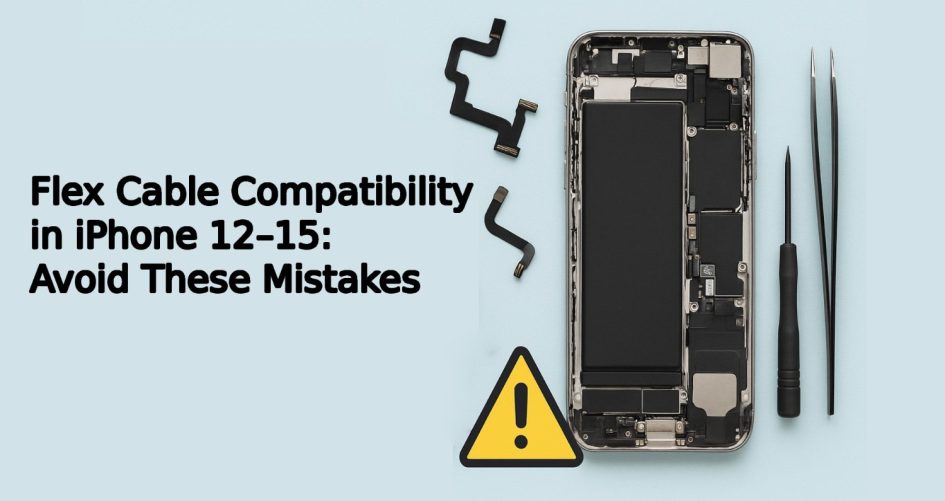
Introduction: Why Flex Cable Accuracy Matters in Refurbishment
In the fast-paced world of mobile refurbishment, accuracy is everything — especially when it comes to flex cables. A small mismatch can trigger major malfunctions, from Face ID errors to non-functional displays. This guide explores the importance of an exact iPhone flex cable match, the risks of cable replacement error, and the best practices for sourcing reliable mobile flex parts. Whether you’re repairing iPhone 12s or working on the latest iPhone 15 models, understanding flex cable compatibility is critical to your success and reputation. Know more.
Understanding iPhone Flex Cable Match Across Generations
What Are Flex Cables and Why Are They Important?
Flex cables, also known as FPC (Flexible Printed Circuit) cables, serve as connectors between different hardware components inside an iPhone — linking buttons, displays, batteries, cameras, and Face ID modules. Each iPhone generation has flex cables with slightly different layouts, pin configurations, and dimensions.
Subtle Differences Between iPhone 12–15 Flex Cables
What looks like a match at first glance may actually differ by:
- Connector placement and size
- Length or bend point
- Number of pins
- Logic board compatibility
These variances mean that even a near-identical mobile flex part can cause system failure or boot errors when installed incorrectly.
Common Cable Replacement Errors to Avoid
Using Incompatible Flex Components
One of the most frequent causes of cable replacement error is assuming that newer model flex cables are backward-compatible. For example, using an iPhone 14 front camera flex on an iPhone 13 may cause the Face ID system to fail entirely.
Mislabeling in Aftermarket Mobile Flex Parts
Unfortunately, some third-party vendors inaccurately label parts, especially in bulk shipments. A mislabeled part that’s “compatible” may still have subtle hardware mismatches that lead to performance issues or complete failure.
Skipping Compatibility Checks
In busy refurb environments, techs may install parts without verifying compatibility by part number or board type — leading to quality control nightmares and avoidable returns.
Breakdown of Flex Cable Types by iPhone Model (12–15)
Display Flex Cables
These control touch sensitivity, screen output, and brightness sensors. While screen size may be the same (e.g., iPhone 13 and 14), display flex layouts can be entirely different.
Power Button & Volume Flex Cables
The layout of internal buttons shifts slightly between models, requiring precise cable lengths and connector alignment.
Charging Port and Face ID Flex Assemblies
Face ID flex cables are notoriously sensitive. Even a 0.5 mm shift in alignment or pin count can disable biometric authentication completely.
Real-World Impact of a Bad iPhone Flex Cable Match
Touch Function and Screen Malfunctions
One minor mismatch in the display flex can lead to ghost touches, screen freezing, or a blank screen — instantly rendering the device unusable.
Camera or Face ID Failure Post-Repair
Incorrect mobile flex parts for front cameras or Face ID systems result in:
- Face ID not available errors
- Camera app crashes
- Blurry or non-functioning selfies
Increased Return Rates in Refurb Business
Each returned device due to a cable replacement error damages customer trust, increases shipping costs, and eats into profit margins.
Tips for Identifying Genuine and Compatible Mobile Flex Parts
Check Manufacturer Part Codes
Every OEM flex cable comes with a serial or model code. Cross-check these with Apple’s parts database or reputable third-party parts catalogues.
Visual Inspection and Connector Placement
Use magnification tools to inspect:
- Pin counts
- Connector notches
- Soldering quality
Using Testing Boards Before Full Installation
Plug the flex cable into a dedicated testing board or diagnostic device to ensure all functions (e.g., Face ID, display, buttons) are working before committing to full reassembly.
Case Study: Refurbisher Lost Profits Due to Cable Replacement Errors
One European refurbishing center unknowingly used mislabeled iPhone 13 flex cables on over 300 iPhone 14 units. The result?
- 40% return rate
- €9,500 in lost profits
- Negative customer reviews
- Internal delays in testing and reassembly
They later switched to verified part suppliers and implemented a barcode-based inventory check system to prevent future iPhone flex cable match issues.
iPhone Flex Cable Compatibility Matrix (12–15)
Quick Chart for Common Flex Cable Types & Part Numbers
| Model | Display Flex Code | Face ID Flex Code | Charging Port Code |
| iPhone 12 | 821-02622 | 821-02637 | 821-02645 |
| iPhone 13 | 821-03044 | 821-03122 | 821-03141 |
| iPhone 14 | 821-03255 | 821-03300 | 821-03320 |
| iPhone 15 | 821-03510 | 821-03558 | 821-03575 |
Differences That Matter: Pins, Length, and Connectors
Even a one-pin difference or slightly altered connector length means the part won’t function — or worse, damages the logic board when installed.
Using Technology to Improve Cable Matching Accuracy
AI-Based Part Recognition Software
Advanced software scans cable images and compares them against verified databases to flag mismatches instantly — ideal for high-volume refurb centers.
Inventory Systems That Flag Incompatible Mobile Flex Parts
Modern inventory platforms can store compatibility tags, ensuring that only the correct mobile flex parts are assigned to each model during assembly.
Training Your Tech Team to Avoid Flex Cable Mistakes
Hands-On Testing with Real Components
Run mock repairs using different flex cable variants to train technicians on identifying subtle compatibility differences.
Documentation and Repair SOPs
Create standard operating procedures (SOPs) that include:
- Compatibility checks
- Serial number verification
- Post-installation testing
This reduces technician error and boosts repair consistency.
FAQs on Flex Cable Compatibility for iPhone 12–15
1. Why is flex cable matching crucial for iPhone repairs?
Because the wrong flex cable can cause hardware failures, touch malfunctions, and disable key features like Face ID — leading to returns and poor customer satisfaction.
2. What happens if I install the wrong flex cable?
You may experience:
- Blank screens
- Touch issues
- Failed boot sequences
- Error messages like “Face ID not available”
3. Are flex cables for iPhone 13 compatible with iPhone 14?
No. Each iPhone generation uses slightly different connectors, pinouts, and lengths — always check part numbers and diagrams before use.
4. How can I identify fake or mislabeled mobile flex parts?
Look for:
- Missing serial codes
- Poor soldering
- Incorrect pin layout
- Unbranded packaging
Always purchase from verified vendors.
5. Can flex cable issues cause Face ID to stop working?
Yes. Face ID depends on precise flex connections — any mismatch disables functionality immediately and may require calibration tools to fix.
6. What tools help verify cable compatibility before use?
- Flex testing boards
- Part number databases
- Barcode tracking software
- Visual guides with image recognition tools
Conclusion: Protect Your Profits with the Right Flex Cable Match
Success in mobile refurbishment is about precision — and few components demand more accuracy than the iPhone flex cable match. One cable replacement error can ruin an otherwise flawless refurbishment, leading to costly rework, customer complaints, and lost profits. By understanding flex cable differences, using reliable mobile flex parts, and implementing smart verification tools, refurbishers can avoid these pitfalls and scale their operations with confidence. Know more.