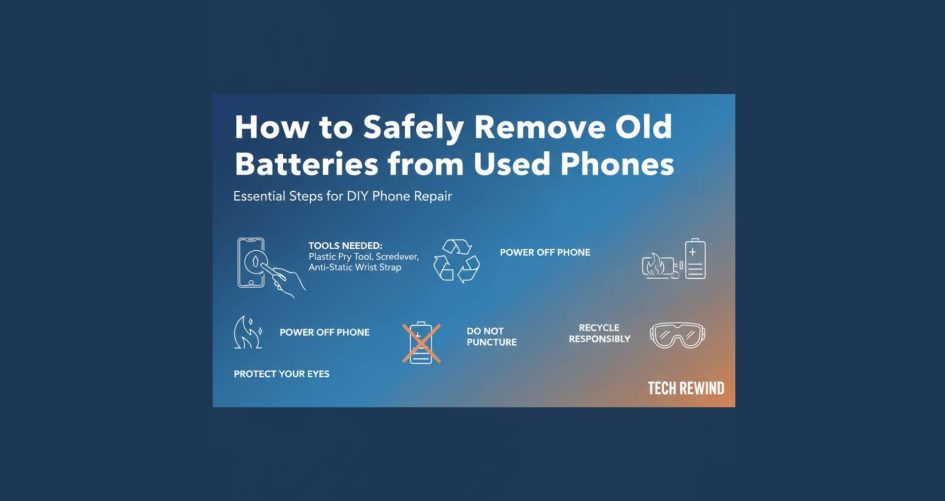
Whether you’re running a refurb business or performing in-house diagnostics, phone battery removal is one of the most critical—and risky—steps in the used phone teardown process. A proper safety repair guide isn’t optional. Lithium-ion batteries, especially old batteries, can swell, spark, or even explode if removed carelessly. This guide walks you through best practices for phone battery removal, handling techniques, and tools every technician needs to follow a true safety repair guide while doing a full used phone teardown. Know more.
Why Battery Removal is a Top Safety Concern
A bloated battery or mishandled connector can quickly escalate into a fire hazard. Phone battery removal gone wrong not only endangers your staff but also puts your entire refurbishing operation at risk. Following a proven safety repair guide ensures every used phone teardown meets health, safety, and operational standards. Plus, it reduces damage to components that are still salvageable for resale.
Warning Signs Before You Begin
Before starting any used phone teardown, look for these red flags:
- Screen separation or bulging around the midframe
- Discoloration or soft spots on the back panel
- Devices that won’t power on or charge properly
These symptoms often indicate battery swelling. For safe phone battery removal, identify high-risk units early and isolate them for extra precautions under a strict safety repair guide.
Tools You’ll Need for Safe Battery Removal
You can’t pull off safe phone battery removal without the right gear. Here’s your checklist:
- Plastic spudgers (never metal near batteries)
- Nylon pry tools
- Heat gun or iOpener pad
- Battery adhesive remover (e.g., isopropyl or dedicated solvents)
- Anti-static gloves and ESD strap
- Fire-resistant pad or container
- Tweezers (ceramic or plastic tip)
- Magnetic project mat for screws
These tools not only make your used phone teardown cleaner—they make your safety repair guide enforceable across every technician.
Step-by-Step: Safe Phone Battery Removal
1. Power Off the Device
This may seem obvious, but it’s the core of any safety repair guide. Shutting down power prevents sparks during used phone teardown. For water-damaged phones, disconnect power from the battery before doing anything else.
2. Open the Housing Safely
Using a heat gun (set no higher than 150°F or 65°C), warm the edges of the phone to loosen adhesive. Then:
- Use a suction cup to lift the screen slightly.
- Insert a plastic pick to begin prying open the case.
- Avoid flex cables during this stage of phone battery removal.
A clean opening is essential for full used phone teardown and gives you safe access to internal components.
3. Disconnect the Battery First
Before doing anything else inside the phone, use a plastic spudger to disconnect the battery from the logic board. This is the heart of your safety repair guide.
Never use metal tools for this. If the battery connector is stiff, heat the area briefly or apply gentle upward pressure. Never twist.
4. Assess the Adhesive and Battery Condition
At this stage of phone battery removal, inspect the adhesive type:
- Pull-tab adhesives (common in iPhones): Slowly and evenly pull straight out.
- Glue-based adhesives (seen in Android): Use a small amount of adhesive remover to soften the layer.
A swollen or punctured battery? Skip all prying. Move the unit to a fire-safe surface, and isolate for special handling per your safety repair guide.
5. Remove the Battery with Controlled Force
Use a wide, flat plastic pry tool to lift the battery from its pocket. Work in sections:
- Apply gentle, slow pressure under the corners
- Add more adhesive remover if necessary
- Never bend or fold the battery
Once loose, lift vertically—avoid dragging or sliding. Dispose of the old battery in a certified e-waste bin according to your used phone teardown policy.
Fire Safety Tips During Battery Removal
- Always keep a Class D fire extinguisher nearby
- Never touch a smoking battery—cover it with sand or a fire-resistant blanket
- Use a thermal-safe work surface
- Store damaged batteries in LiPo-safe bags
A solid safety repair guide not only trains your team in extraction but also outlines emergency protocols.
How to Handle Swollen Batteries in Used Phone Teardowns
If a battery is visibly bulging:
- Do not continue with phone battery removal
- Move the phone to a containment box
- Allow the battery to discharge over time
- Once safe, remove with minimal disruption to the housing
Never attempt used phone teardown on a swollen unit without following exact safety repair guide steps.
Clean-Up and Prepping for Reassembly
After removing the battery:
- Clean the pocket using isopropyl alcohol (99%)
- Remove all old adhesive traces
- Avoid sharp tools near the internal frame
This step ensures your replacement battery installs cleanly, and your phone battery removal work doesn’t damage other parts during used phone teardown.
Quality Checks Before Sealing the Phone
- Inspect connector pins for wear or carbon scoring
- Check the battery replacement fit
- Test new battery voltage using a multimeter
- Reconnect and boot device before final sealing
This adds an extra layer of protection to your safety repair guide and ensures every used phone teardown meets functional quality standards.
Tips for Scaling Safe Battery Removal in Bulk
If you’re handling thousands of phones:
- Create standardized phone battery removal stations
- Train staff on the full safety repair guide
- Use fireproof storage bins for e-waste
- Automate logging of each used phone teardown
By making safety repair guide practices routine, you reduce liability, downtime, and scrap rates.
Final Disposal of Old Phone Batteries
- Do not toss in regular trash
- Partner with certified lithium-ion recycling firms
- Keep a record of disposal for auditing and compliance
Handling old batteries responsibly is just as important as the phone battery removal itself. It completes the used phone teardown loop safely and ethically.
Final Thoughts
Safe and effective phone battery removal is a cornerstone of any serious used phone teardown process. By following a proven safety repair guide, your team can avoid damage, protect each other, and ensure top-tier repair quality. Whether you’re a bulk refurbisher or a growing B2B repair provider, these practices protect your people and your profit.
Need printable checklists, technician diagrams, or training slides to enforce this safety repair guide in your workflow? Let me know—I can create custom resources to suit your operation. Know more.