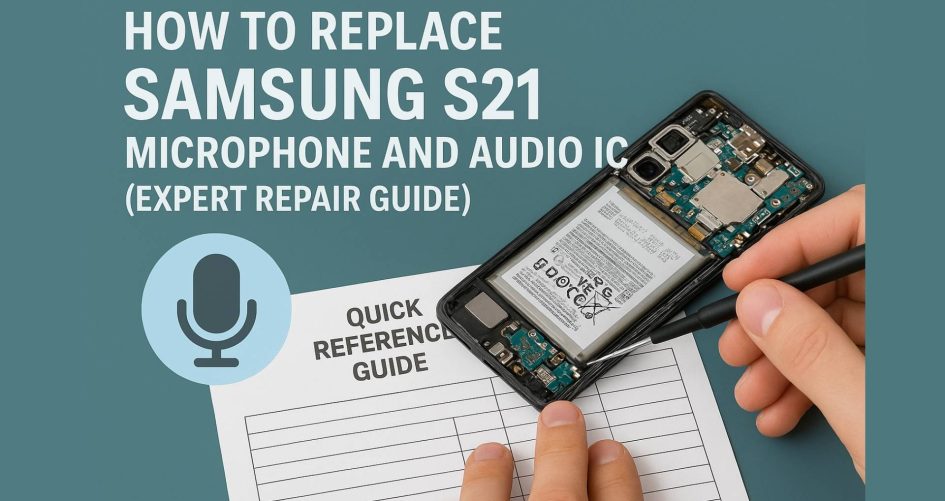
If you’ve noticed your Galaxy S21 losing voice clarity or completely lacking audio during calls, it’s likely due to issues with the S21 mic flex, audio IC repair, or the Samsung sound module. These internal components are essential for microphone input and speaker output functionality. In this guide, we’ll walk you step-by-step through diagnosing issues, replacing the S21 mic flex, mastering audio IC repair, and restoring the full capability of your Samsung sound module. Know more.
🔍 What Are the Samsung S21 Mic Flex and Audio IC?
The S21 mic flex is a flexible ribbon cable inside the phone connecting the microphone to the motherboard, transmitting voice signals during calls, video recording, and voice memos. A damaged or disconnected mic flex often results in silence, muffled input, or complete voice loss.
The audio IC (integrated circuit) is the chip responsible for converting digital audio data into analog sound, managing audio input/output, microphone detection, speaker output, and headphone interaction. When the audio IC malfunctions, issues like static, distortion, or no audio output follow—even if the microphone and speakers appear functional.
As part of the broader Samsung sound module, these components must operate in harmony. If either fails, your device’s audio system becomes compromised, impacting calls, recordings, media playback, and voice assistant performance.
🎯 Importance of the Samsung Sound Module
- Ensures clear call audio in both earpiece and speakerphone modes.
- Supports reliable voice memo functionality, enabling clean recording.
- Powers media playback, delivering sound through speakers, headphones, or Bluetooth.
- Enables activation and use of voice assistants like Bixby or Google Assistant.
- Integrates mic, speaker, headphone jack, and Bluetooth functions through the Samsung sound module.
Without a functional Samsung sound module, even basic operations like speaker output or call audio can break down entirely.
⚠️ Why These Components Fail
Several factors can lead to failure:
- Liquid damage or moisture infiltration may corrode the S21 mic flex connector.
- Frequent drops, impacts, or pressure can physically disrupt internal ribbons or solder joints.
- Overheating, voltage spikes, or factory defects can compromise the audio IC.
- Firmware updates or short circuits caused by battery issues can result in temporary or permanent audio loss.
- Band wear and friend repairs done incorrectly or with incompatible parts may lead to repeated failure.
🔧 Tools Required for Mic Flex Replacement & Audio IC Repair
Basic Repair Kit:
- Precision screwdriver set (Phillips, pentalobe, tri‑point)
- Plastic opening tools, spudger, and pry picks
- Tweezers (ESD safe)
- Anti‑static wrist strap or mat
- Suction cup for opening adhesive back tape
- Good lighting and magnification
Advanced Soldering and IC Repair Tools:
- Hot air rework station (precise temperature control)
- Microscope or magnifying loupe
- Quality solder paste, flux, solder wick, and stencil (for reballing)
- PCB cleaning alcohol and swabs
- ESD-safe gloves or finger cots
🛠️ Step‑by‑Step: Replacing the S21 Mic Flex
1. Power Down and Disassemble
- Fully power off the phone and remove any SIM tray.
- Warm the back panel edges using a heat gun or hot pad (about 80–90°C), then gently pry open using plastic tools under a suction cup.
2. Disconnect Battery
- Remove screws holding the protective shield. Disconnect the battery connector carefully to prevent electrical damage.
3. Locate the Mic Flex Ribbon
- The S21 mic flex ribbon is usually found at the bottom of the device, connected to the charging board or mainboard. Remove any shields gently.
4. Remove Faulty Mic Flex
- Unscrew brackets or clips that secure the cable. Use tweezers to peel away the S21 mic flex ribbon, taking care not to tear or pull adjacent connectors.
5. Install New Mic Flex
- Align connector pins correctly and gently snap down the new S21 mic flex into place. Screw the brackets back, reconnect the battery, and do a quick test before final re‑assembly.
🎯 Step‑by‑Step: Performing Audio IC Repair
1. Assess the audio IC Issue
- Symptoms of a failing audio IC include no sound even when the mic flex is properly seated, distorted output, and no headphone detection.
2. Prepare Area and Apply Flux
- Use a microscope to visualize the chip area. Clean the area and apply flux around the soldered edges of the audio IC.
3. Desolder the Audio IC
- Set hot air station to 250–300 °C. Gently heat the chip until solder liquefies. Use tweezers to lift the chip off the board—avoid damaging surrounding traces.
4. Clean the Pads and Reball or Replace
- Clean remaining solder with wick and isopropyl alcohol. If reballing the original chip, apply solder paste and position it via a stencil. Otherwise, place a new compatible audio IC chip.
5. Reflow and Inspect
- Reflow the IC by heating until solder flows evenly. Inspect joints under magnification. Use cleaning fluid to remove excess flux and residue.
🔬 Testing After Component Replacement
Microphone Testing:
- Boot up the phone.
- Make a phone call and test audio input.
- Record a voice memo to check microphone clarity.
- Try voice assistant activation to confirm mic detection.
Speaker and Sound Module Testing:
- Play a music/video file to test speaker audio output.
- Test headphone jack or Bluetooth audio output.
- Use diagnostic menu via
*#0*#dialer code or Samsung Members app to test mic and speaker hardware functions.
⚠️ Common Mistakes & How to Avoid Them
- Using excessive heat can warp the PCB or melt adjacent components—always monitor temperature.
- Poor alignment of the S21 mic flex connector leads to undetected mic and failed calls.
- Low‑quality replacement parts—cheap flex cables or audio ICs may fail quickly. Always use OEM or high‑grade replacements.
- Inadequate cleaning after soldering can lead to corrosion or bridging affecting audio performance.
💡 Professional Tips & Best Practices
- Work on an ESD‑safe surface with proper grounding to avoid damage.
- Test audio functionality intermittently throughout repair process, especially after reseating mic flex and battery reconnection.
- Keep screws and small parts organized in trays to avoid mix-ups.
| Tip Area | Pro Recommendation |
| Flex Cable | Use OEM or certified quality S21 mic flex for compatibility |
| IC Source | Purchase authentic audio IC that matches Samsung’s part number |
| Adhesive | Use original or high-temperature tape designed for Samsung S21 |
| Reflow Settings | Use a hot air rework station with controlled airflow and temperature profile |
| Post‑Assembly | Let phone sit off for 5–10 min before powering back on after reflow to allow solder to settle |
🔄 Samsung Warranty & Considerations Before DIY
- Opening the Galaxy S21 voids the manufacturer’s warranty—consider this if the phone is under coverage.
- Water-resistant seals are broken during disassembly, reducing future reliability.
- If unsure or uncomfortable with soldering or mic replacement, seek professional services—better safe than irreparably damaging the board.
✅ Conclusion
Replacing the S21 mic flex, executing audio IC repair, and restoring the Samsung sound module requires precise tools and care—but for experienced technicians or DIYers with proper training, it’s achievable. With correct procedures and OEM components, you can bring full sound functionality back to your Galaxy S21.
If any step seems beyond your comfort level, consult a trusted repair technician to avoid risk.
FAQs
- What is the function of the S21 mic flex?
It connects the internal microphone to the motherboard, enabling audio input for calls, recordings, and voice assistants. - How do I identify a faulty audio IC?
If microphone or speaker issues persist after replacing the mic flex, the audio IC is likely damaged—look for distorted sound, no mic detection, or no audio output. - Can I replace the Samsung S21 sound module at home?
You can—but only if you have the right tools, clean workspace, soldering expertise, and OEM-grade parts. - How long does the repair typically take?
For a trained technician, S21 mic flex replacement and audio IC repair may take 1–2 hours. DIYers should expect longer. - What precautions should I take during mic or IC repair?
Always disconnect the battery first, work on an ESD-safe surface, avoid overheating, and use proper cleaning procedures. - Is repair worth it, or should I replace the phone?
If the rest of the device is in good condition, replacing the S21 mic flex or audio IC is often more cost-effective and environmentally friendly than replacing the entire phone. Know more.